Anyone signed in can change their own PIN on the display, staff included. You need your current PIN and an internet connection.
Change it
- Tap SETTINGS in the sidebar, then the Account tab.
- Under PIN Login, tap Change PIN.
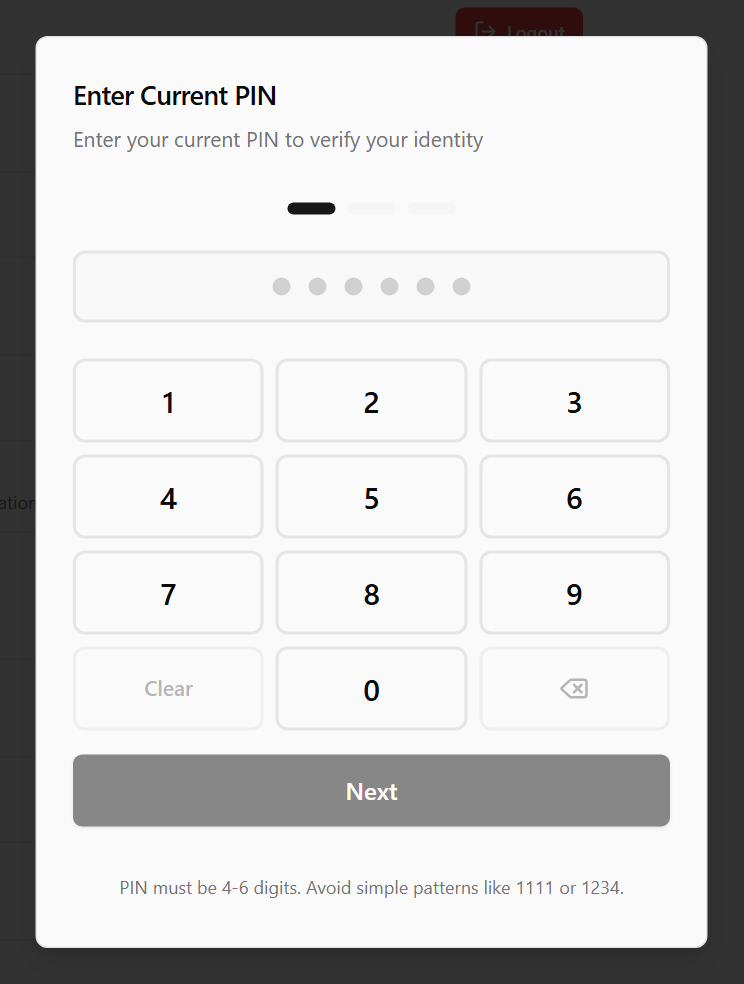
- Enter Current PIN opens. Type your current PIN on the keypad and tap Next.
- At Enter New PIN, type a new PIN and tap Next.
- At Confirm New PIN, type it again and tap Save PIN.
The arrow beside the heading goes back a step. To stop, tap outside the box.
PIN rules
- 4 to 6 digits.
- Not all the same digit, such as 1111.
- Not a repeating pattern, such as 1212 or 123123.
- Different from your current PIN.
Done
PIN changed successfully shows and the dialog closes. You stay signed in. Use the new PIN next time you sign in, on any display.
When the internet is down, a display still expects your old PIN until its sign-in screen has loaded online since the change.
If something is not right
| Message | What to do |
|---|---|
| PIN is incorrect. 2 attempts remaining. | The current PIN was wrong. Try again. |
| Too many failed attempts. Please wait 5 minutes. | Three wrong current PINs in a row. Change PIN is locked for you for five minutes, and until then says Try again in … seconds. You stay signed in. |
| PIN cannot be all the same digit (e.g., "1111") | Pick different digits. |
| New PIN must be different from your current PIN | Pick a different PIN. |
| PINs do not match. Please try again. | Type the new PIN the same both times. |
| Validation failed | The new PIN is a repeating pattern, such as 1212. Pick another. |
| Unable to connect to server. Please check your internet connection. | Changing a PIN needs the internet. Try again once the display is online. |
If you signed in while the internet was down, the card reads Sign in again with the internet on to change your PIN. — the server cannot check a sign-in made offline. Once the display is online, sign out and sign in again. While the display cannot reach the server at all, it reads Changing your PIN needs an internet connection.
Forgotten your PIN
You cannot change it here without your current PIN. Ask a manager to set you a new one: on any display under Settings → Staff → Reset PIN, or in the back office. It works within a minute on every display that is online. See Add, change or remove kitchen staff on the display.
If the card reads Set PIN, you have no PIN yet. Tap it, then enter and confirm a new one.