Signing in is two steps: under Select Your Name, tap your name, then enter your PIN and tap Login. A PIN is between four and six digits.
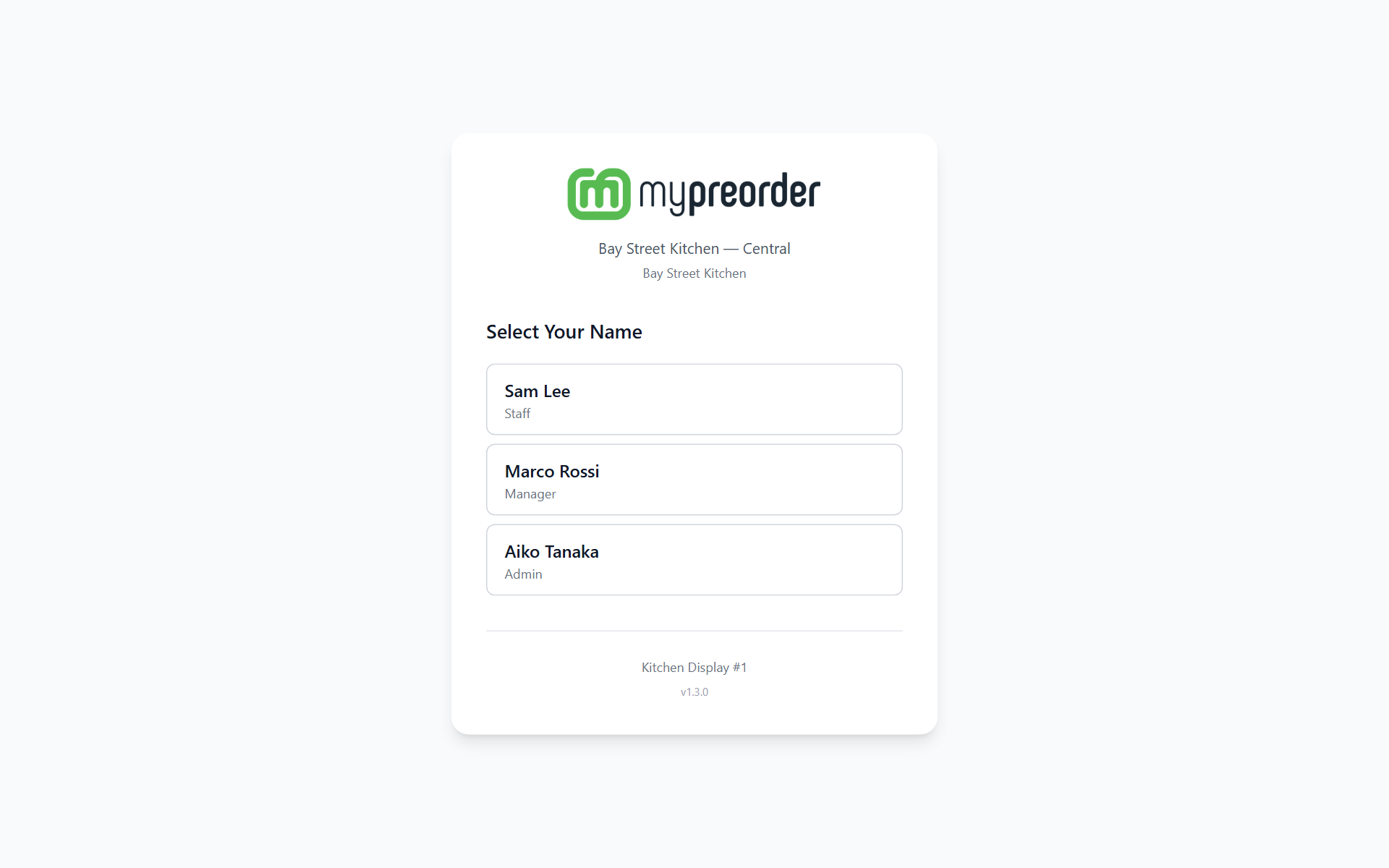
Your name is not in the list
The list shows everyone with a PIN who is assigned to this location, or to every location. Staff are listed first, then managers, then admins. If you are new, or have moved between venues, ask a manager to add you, with a PIN: on any display under Settings → Staff, or in the back office. See Add, change or remove kitchen staff on the display.
Someone just added shows up within a minute on a display that is online.
No users found for this location. or Nobody here can sign in on this screen yet. means nobody at this location has a PIN. A manager or admin adds people in the back office. At a brand-new venue, where nobody has ever been set up, the screen shows Set up the first manager instead of a list.
The PIN is not accepted
Invalid PIN. Please try again. means the PIN did not match. Check you selected the right name — it is easy to tap the wrong one on a busy list. Tap Change user to go back to the list.
After three wrong attempts PIN entry locks for five minutes: Too many failed attempts. Please wait 5 minutes before trying again. The lock is for you on this screen. Waiting it out is the only way through; there is no override.
If you have forgotten it, ask a manager to set you a new PIN: on any display under Settings → Staff → Reset PIN, or in the back office. Once signed in, anyone can change their own PIN under Settings → Account → Change PIN, using their current one. See Change your PIN on the display.
It works offline
Signing in does not need the internet. The display keeps a secure copy of the PINs for the staff at this location, so a network outage does not stop anyone starting a shift. An Offline Mode label shows on the sign-in screen, and Logged in offline when you are in.
The copy is refreshed each time the sign-in screen loads with an internet connection. Someone added since then, or a PIN changed since then, does not work offline on this screen until it is back online.
If the screen has no copy at all, it shows Unable to Connect — Unable to connect to server. Please check your internet connection. Connect it and tap Retry.
Session expired
A sign-in lasts 12 hours, or 16 hours if you signed in offline. After that the display shows Session expired. Please log in again. and returns to the sign-in screen. Sign in again.
If you signed in while the internet was down, you stay signed in when it comes back. If your access changed meanwhile — you were removed, or your role changed — the display says Your access changed while this screen was offline. Sign in again. and goes back to the sign-in screen. (On app versions before 1.3.5, Session expired could show as soon as the connection came back. Sign in again then.)
A sign-in made offline cannot change your PIN, a printer or the staff list: sign out and in again once the display is online.
If the display was opened from the back office rather than with a PIN, it shows Session Expired instead. Open it again from the back office, or tap Manual Login (PIN).
The display goes back to the setup screen
The app clears itself and returns to the setup screen instead of the sign-in screen when:
- the screen, or its location, has been removed in the back office, or
- the screen has been set up on another tablet with a new QR code. A screen runs on one tablet at a time, so this one is signed out.
It needs setting up again: tell a manager. The same tablet comes back as the same screen when it is set up with that screen's licence key.
A screen that has only been switched off in the back office does not clear itself. It shows Screen turned off and keeps its orders until it is switched back on (app version 1.3.5 and later; earlier versions cleared it).
On app versions before 1.3.4, the sign-in screen can instead show Failed to load users: followed by a reason, such as Device has been deactivated. Please contact your manager. or Invalid device key. An Unlink this device link then shows under the screen's name. Tap it only once you know the screen has been removed or moved: it clears everything stored on this screen and opens the setup screen.
A message covers the whole screen
If a full-screen message such as Licence needed, Trial ended, Screen turned off or Connect to the internet to continue covers the sign-in screen, the problem is the screen itself, not your PIN. Do what the message says, or tell a manager. See A licence message covers the screen.