Colour an item so it is hard to miss, or make a word such as "gluten" or "no" stand out in the modifiers.
These settings are on the Kitchen tab, so a manager must be signed in, or unlock settings first — see Unlock settings that need a manager PIN. They are shared by every screen at the venue.
Open Settings → Kitchen → Styling. Item & Modifier Styling is on by default. Switching it off hides every colour but keeps your rules.
Colour an item
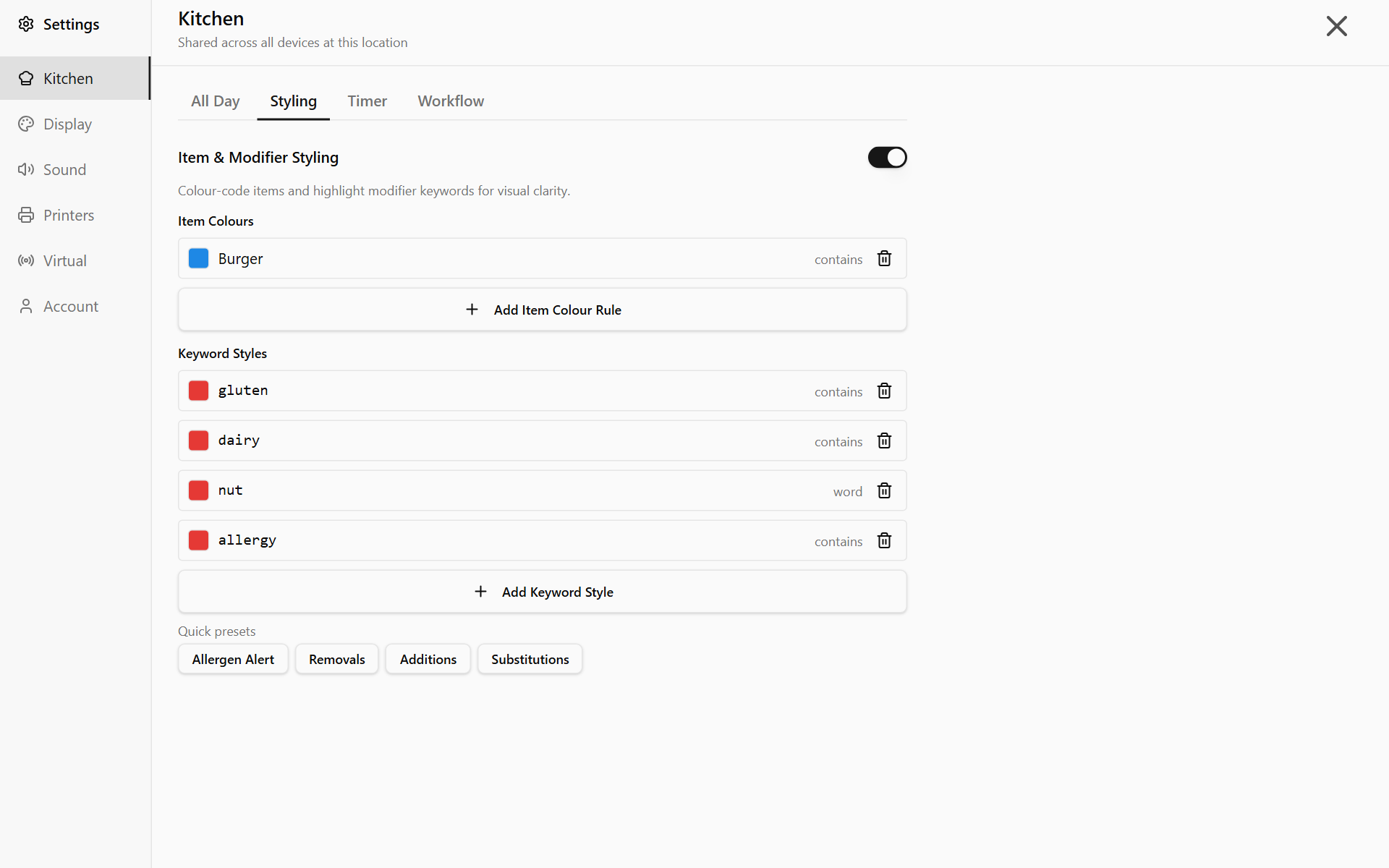
- Tap Add Item Colour Rule. Select Items opens.
- Choose how the name must match: Exact, Contains or Starts with.
- Tap an item under Currently in queue or Recent items (30 days), or type one under Or enter manually and tap Add. Close the list when you are done.
- The rule is added in red. To change the colour, tap the square beside it.
The item's name and quantity take the colour on the card, in the all-day bar and in Consolidated Items. Capitals do not matter. If two rules match one item, the higher one wins.
Highlight a word in modifiers
- Tap Add Keyword Style and type the Keyword.
- Choose a Match Mode. Whole word finds "no" in "No onion" but not in "Gnocchi". Contains finds it in both.
- Tap Add Keyword, then Cancel to close the box.
The word shows in bold red. Tap the square beside it for another colour.
For a ready-made set, tap a button under Quick presets. Words you already have are skipped.
| Preset | Words | Style |
|---|---|---|
| Allergen Alert | gluten, dairy, nut, allergy | Bold red on pale red |
| Removals | no, without, remove, hold | Bold red |
| Additions | add, extra, double | Bold green |
| Substitutions | sub, swap, instead, replace | Orange italic |
Allergen Alert matches "nut" as a whole word only, so "nuts", "peanut" and "walnut" are missed. Add the words your menu actually uses.
What is never highlighted
- Keywords only colour modifier lines. Item names and Note: boxes stay plain, even with Apply To set to All text — an allergy typed into a note is not highlighted.
- Struck-off items and modifiers lose their colour.
- POS orders that show as a copy of the printed docket have no colours.
To remove a rule, tap the bin beside it.
Done
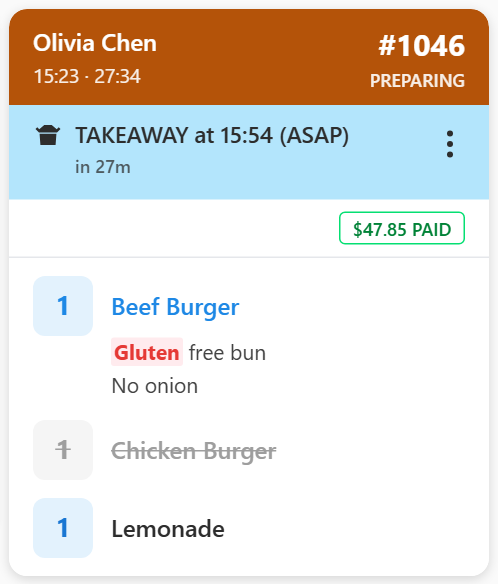
Matching items and words show in colour on every screen at the venue.
If something is not right
| Message | What it means |
|---|---|
| Maximum 32 rules reached | Item and keyword rules share a limit of 32. Delete one first. |
| "nut" already has a keyword rule | That word is already listed. Change its colour instead. |
| All keywords from this preset already exist | Nothing new to add. |