Close the store from the kitchen to stop new online orders, and open it again when you are ready. Anyone signed in can do it, with no manager PIN.
Find the store button

It sits low in the sidebar, just above HELP: a green dot over OPEN, or a red dot over CLOSED. It shows whether customers can order online right now.
It is not the OPEN number near the top of the sidebar. That number counts the orders on the board, and tapping it refreshes them.
Close or open the store
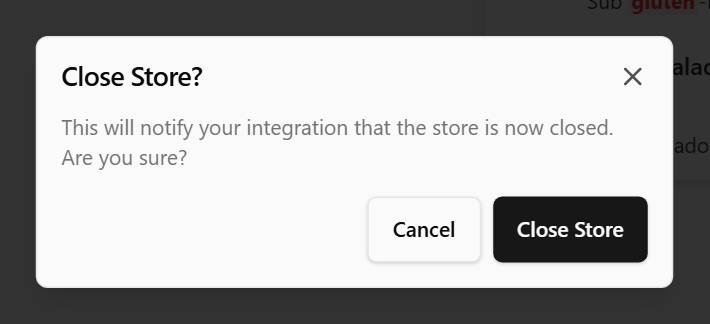
- Tap the store button. When the store is open, Close Store? appears, with This will notify your integration that the store is now closed. Are you sure? When it is closed, you see Open Store? instead.
- Tap Close Store or Open Store to confirm, or Cancel to leave it as it is.
Every screen at the venue changes with it.
What closing does
It flips the same open/closed switch the back office uses, so it stops new orders from your online ordering, app and kiosks.
The display keeps working. Orders already on the board stay and can be finished, and dockets from the POS still arrive. Your trading hours do not change.
How long it lasts
The store stays closed until someone opens it again, here or wherever you usually do it. If your store opens itself on a schedule, it opens again at the next scheduled opening time.
The button follows the store wherever it changes. When the back office or your trading hours open or close the store, the button changes too.
To slow orders down rather than stop them, see Change lead times for online orders from the display.
No store button?
The button shows only when your online ordering is connected to the display for store status. Without it, open and close the store in the back office as usual.
Done
The button shows a red dot over CLOSED, and customers can no longer order online. Opened again, it shows a green dot over OPEN.
If something is not right
| You see | What to do |
|---|---|
| Requires internet connection | The screen is offline. Tap Close, then reconnect it, or open or close the store from the back office |
| The button does not change after you confirm | The change did not go through. Check the screen is online and try again |
| CLOSED on the display, but customers can still order online | Close the store from the back office, then see Send diagnostics to support |