- Open Menu Builder.
- Select Loyalty Rewards in the left-hand list.
- Select New Reward.
The fields
- Name* and Description* — both are shown to customers, so write them as the offer.
- Reward structure* — Apply to individual menu items or Apply to entire orders. This decides whether points accrue per qualifying product or on the order as a whole.
- Points awarded on purchase*
- Points required to redeem*
- Redemption method* — what the customer actually gets:
- Full price of menu item: the item is free as ordered, with any extras.
- Regular price of menu item only: the reward pays the item's regular price. Extras, such as a larger size or another milk, are paid for. See Small balances left by Regular price below.
- Multiple Choice
- Tiered Rewards
- Average value of previous orders
- Specific redemption value
- Redemption Amount* — used with Specific redemption value.
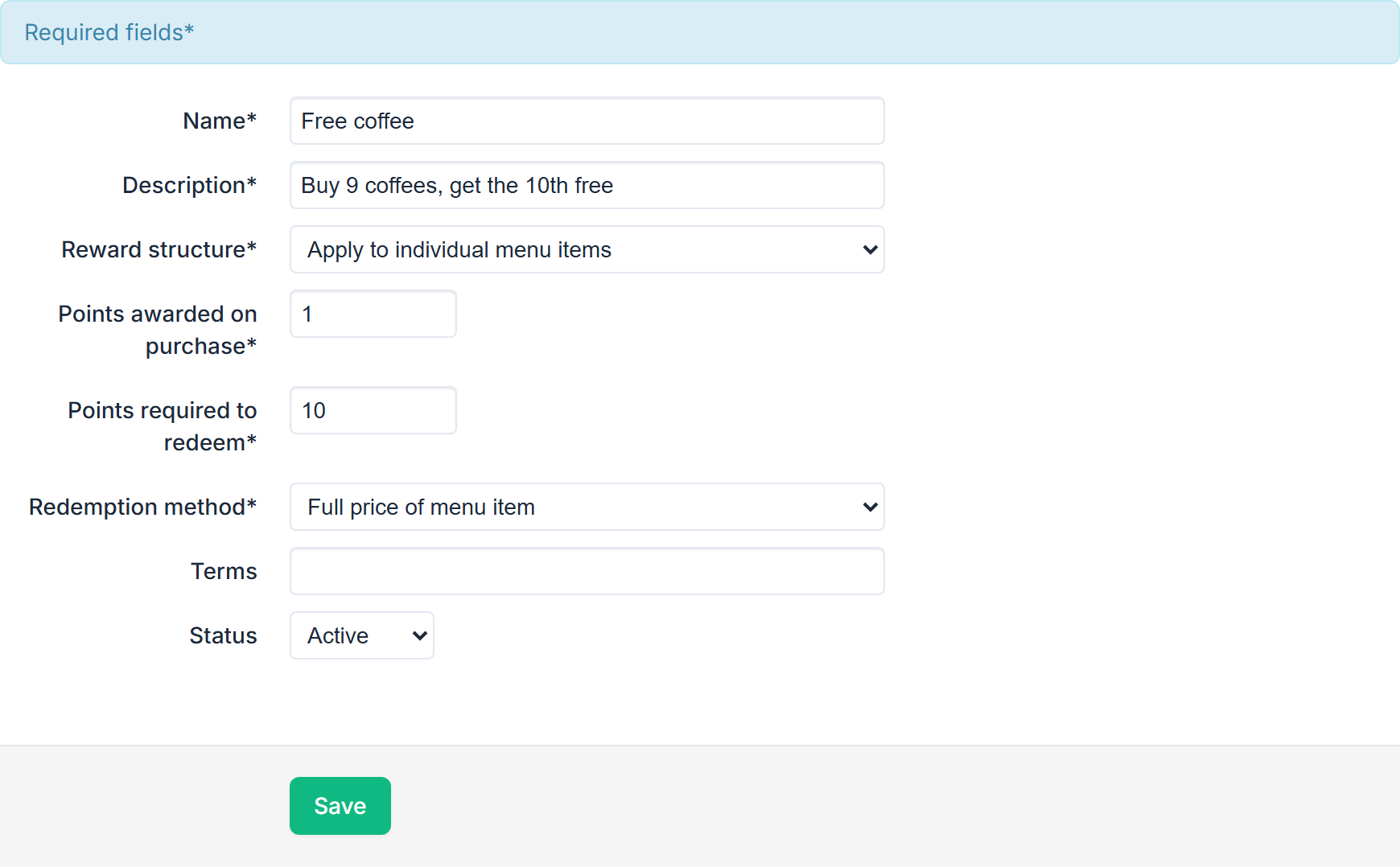
Save when done. The list shows Name, Description and Status, with Edit on each row.
Small balances left by Regular price
Online card payments, including Apple Pay and Google Pay, can't be less than $1.00. A free coffee upsized for 50c and ordered on its own would leave 50c that no card can pay. So when a Regular price of menu item only reward leaves less than $1.00 to pay on an online order, the reward covers the rest, and your customer checks out with nothing to pay. It costs you at most 99c on those orders.
- Only when the whole order is under $1.00. With other items in the order, the extras are charged as normal.
- Not with a delivery fee, or when the order buys credit or a paid VIP sign-up.
- At your POS the balance is charged as normal. Take it on the EFTPOS terminal, in cash or as Other: none of these has a $1.00 minimum. Card (keyed) can't take less than $1.00.
The editor shows this note while Regular price of menu item only is selected.
Which items earn points
With Apply to individual menu items, the Reward Group field on each product in the menu item editor decides which items count towards which reward.
Points for joining your VIP club
With the advanced loyalty option, Points awarded on joining VIP credits points to this reward in the order that buys your VIP club sign-up (a product with Add VIP Tag set to Yes). The customer can spend them in that same order. Set it to the reward's Points required to redeem and their first item as a VIP is free, for example a free coffee for joining.
- Once per customer at each store. Someone already in your VIP club gets nothing more, nor does someone whose other account (with the same mobile number or email) got them here before.
- A guest can spend them in the sign-up order: someone made with New customer at the POS, or who hasn't set a password yet. Their other points still wait until they become a member.
- With Regular price of menu item only, the reward pays the item's regular price. Extras, such as a larger size or another milk, are paid for, unless they leave less than $1.00 to pay online (see Small balances left by Regular price above).
- A promotion code that doesn't allow loyalty rewards stops the free item in that order. The points are still credited, for next time.
- With Apply to entire orders, the points are credited with the order and come off a later one.
- Credit alone isn't joining: a top-up without Add VIP Tag earns no joining points.
At the counter, add the customer to the order first, with Find customer or New customer, so the order is priced for them. If staff only type the customer's email at checkout, the points arrive with the order, for next time. See Sign a customer up at the POS or Kiosk.
Turning a reward off
Select the coloured Status label on its row and choose Inactive.
Rewards at the counter
Customers earn and redeem points at the POS too, once staff add them to the order with Find customer: a reward comes off by itself when they have enough points, as it does online. See Find a customer and add them to a POS order.
Promotion codes and rewards together
A promotion code of type Loyalty Reward hands a customer a reward directly. Note that a promotion code and a loyalty reward redemption are mutually exclusive on the same order — a customer applies one or the other, not both.
If you cannot see the tab content
Loyalty schemes are enabled per store, and some redemption methods need the advanced loyalty option on top of that. If the screen is empty or an option is missing, contact support.