Record cash you take out of the drawer or put into it, so the till still balances when you close it. For example, paying for milk from the drawer, or topping up change.
The till must be on and started. See Start the till and count the float.
Pay cash out
- Select Till in the top bar, then Paid out.
- Type the Amount.
- Choose a Reason: Supplies / stock, Petty cash, Tips paid out or Other.
- Add a Note if you like. With Other it's required: say what the cash was for.
- Select Open drawer & record $…, which shows the amount.
The drawer opens. Take the cash out and close the drawer.
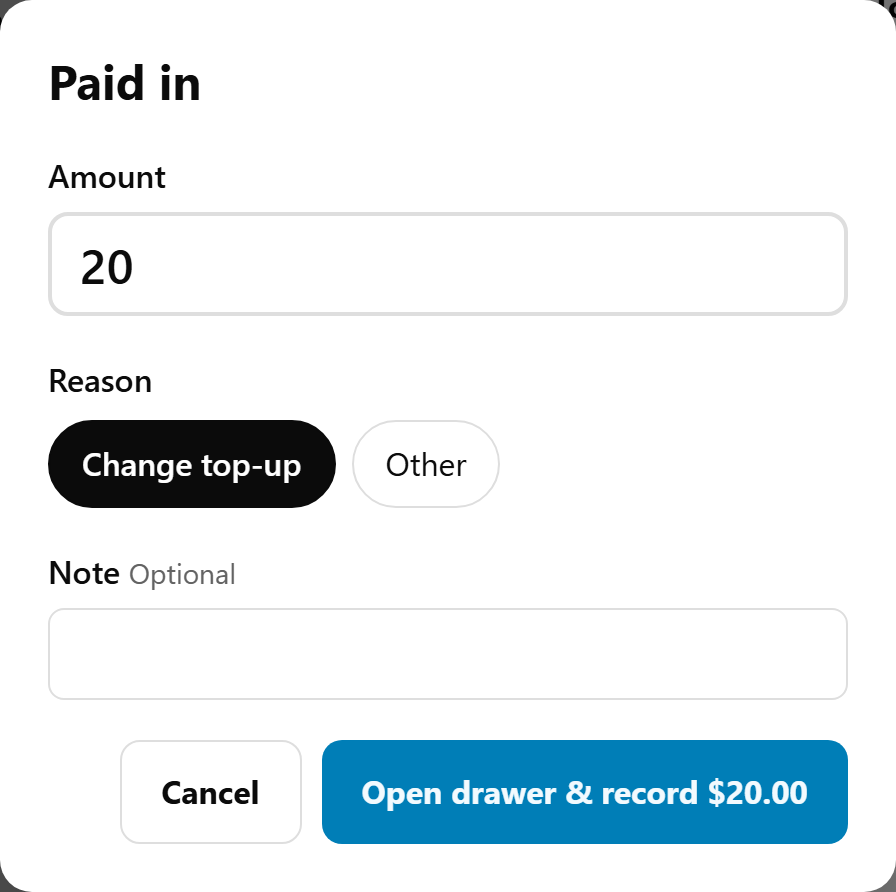
Pay cash in
The same, but select Paid in. The reasons are Change top-up and Other.
What is recorded
- The amount, reason, note, time and who did it: the staff member signed in, or the device on a POS without staff PINs.
- The Till sheet lists it under Cash drawer, for example "− Paid out: Supplies / stock, milk (Sam)", and Expected in drawer goes down (or up, for a paid in) by the amount.
- The X and Z reports list each one with its reason, note and who did it. See Check the till during a shift: the X report.
A paid in or out can't be changed or deleted. If you recorded the wrong amount, record the opposite (a Paid in to undo a Paid out) with Other and a note saying why.
Limits
- The amount must be more than $0 and no more than $20,000.
- A note can be up to 120 characters.
- Any staff member signed in can do it. A manager PIN isn't needed.
If something is not right
| What you see | What to do |
|---|---|
| Open drawer & record stays greyed out | Type an amount and choose a reason. With Other, add a note too. |
| "Add a note to say what it was for." | Other needs a note. |
| "Choose a reason." or "Enter an amount." | Choose a reason, and type an amount above $0. |
| "Sign in with your staff PIN first." | Your sign-in has ended, so the POS locks. Sign in again and record it again. |
| No Paid in or Paid out in the Till sheet | The till hasn't been started. Select Start the till first. |
| "Recorded. No cash drawer opens for this till, so use the key." | It's recorded: don't record it again. Open the drawer with the key. To have it open next time, the receipt printer at this till needs Cash drawer ticked, with Opens for set to this device or Every POS device. See The cash drawer doesn't open, or the till won't print. Don't record it again. |