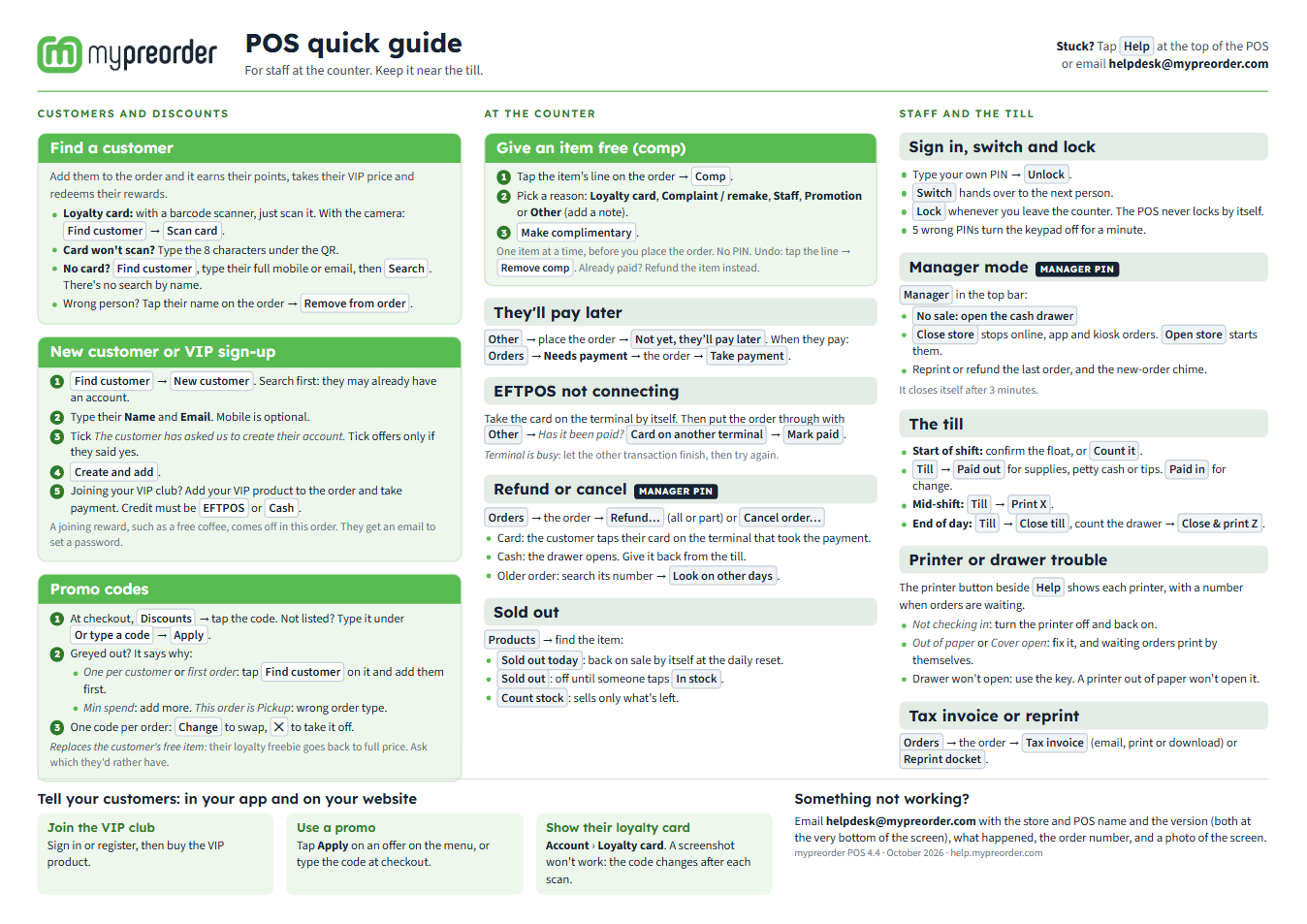
Print this one-page guide and keep it by the till. It shows your staff the things they do all day, such as finding a customer, applying a promo code and signing up a VIP, and the ones that are hard to find on the screen, such as making an item complimentary.
Download the POS quick guide (PDF)
Print it
- A4, landscape, at actual size (100%). It fits on one page.
- Colour reads best, but it works in black and white.
- Put it in a plastic sleeve or laminate it, so it lasts at the counter.
What's on it
- Customers and discounts: find a customer or scan their loyalty card, make a new customer or sign up a VIP, and apply a promo code.
- At the counter: give an item free (comp), take payment later, EFTPOS not connecting, refund or cancel, and sold out.
- Staff and the till: sign in, switch and lock, manager mode, the till, printer or cash drawer trouble, and tax invoices and reprints.
- For your customers: joining your VIP club, using a promo, and showing their loyalty card in your app or on your website.
Each one has its own article here with the full steps. The ones staff ask about most:
- Find a customer and add them to a POS order
- Sign a customer up at the POS or Kiosk
- Apply a promo code on the POS
- Make an item complimentary on the POS
- Refund or cancel an order on the POS
After a POS update
The bottom of the guide shows the POS version it was written for, such as mypreorder POS 4.4. When the POS changes, the guide here is updated with it: download it again and swap the printed copy.
If something is not right
| What you see | What to do |
|---|---|
| It prints on two pages, or the edges are cut off | Print it Landscape, at Actual size or 100%. If your printer still cuts the edges, choose Fit to printable area. |
| A button on the guide isn't on your POS | Some parts depend on how your store is set up: Other and Till only show when your store uses them. Otherwise the POS may need updating: when it shows "A new version is available", select Refresh. |